Artificial Intelligence (AI) dominates every business conversation. One moment it’s hailed as the ultimate problem-solver; the next, it’s treated as an existential threat. The challenge for leaders and designers is finding confidence amid the hype: knowing where to apply AI, how to manage risk and deliver value that truly matters.
At Method, we’ve spent years exploring how to design AI products responsibly and effectively. This article distills our learnings and methods through a recent collaboration with Hitachi Japan’s Building Engineering Services, illustrating how human-centered design, systems thinking, and rapid validation unlocked real value from AI.
Even the most advanced AI will fail if it doesn’t provide unique value to users.
Design today must keep pace with an expanding landscape of AI technology, use cases and their respective interaction patterns. From designing for natural language queries chatbots, large language models to multimodal systems spanning voice, video and spatial interaction and the rise of Automation, Agents and Agentic AI; the need to establish and build upon best practices has never been greater.
What has remained consistent, is the reality that no matter how advanced the technology, if it does not solve real human needs, it will fail in adoption. At Method, we anchor our AI work in a human-centered approach that combines systems thinking with narrative-based prototyping, helping teams establish and validate trustworthy, purposeful AI experiences.
Stop Building AI, Start Designing for Humans
In 2023–2024, Hitachi’s Building Services Business Unit (BSBU) partnered with Method to transform engineers’ workflows using modern AI-enabled tools. The mission: improve safety, efficiency, and knowledge sharing in the face of an aging workforce and outdated, manual systems.
Field research revealed major challenges:
- Data was recorded by hand and siloed across teams.
- There was no single, reliable source of truth for data, schematics or building infrastructure maintenance.
- Engineers worked in dangerous environments with limited digital support.
- Existing tools were slow, inconsistent, and difficult to use.
Our collaboration focused on designing AI-driven experiences that augmented engineers’ abilities, rather than replacing them. The process was guided by five design principles.
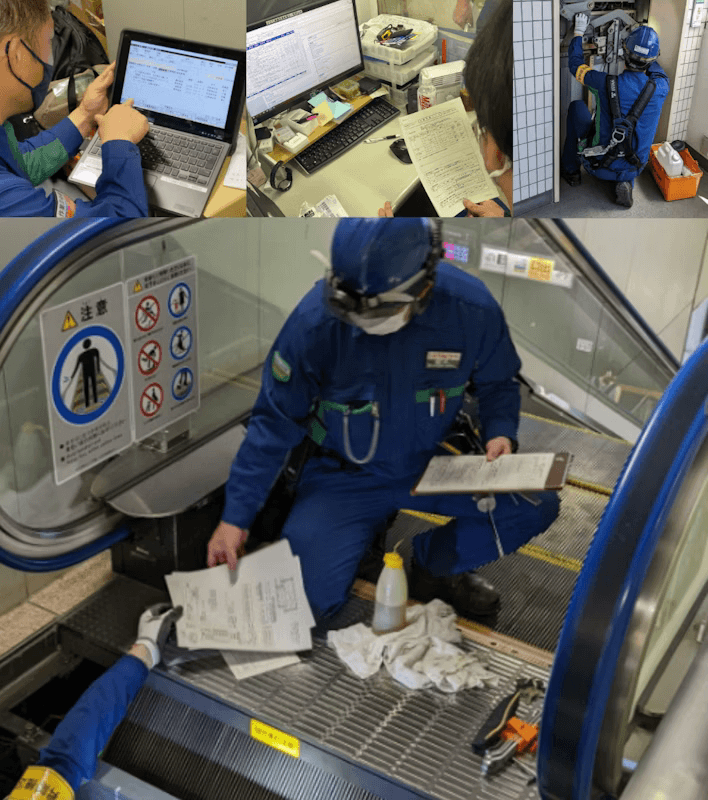
Principle 1: Ground AI design in human reality. Every successful AI product begins with a deep understanding of how people actually work.
How to: Begin with ethnography and contextual inquiry to understand the realities of user workflows, pain points, and environments. Observe and talk to people in their actual work settings before designing anything.
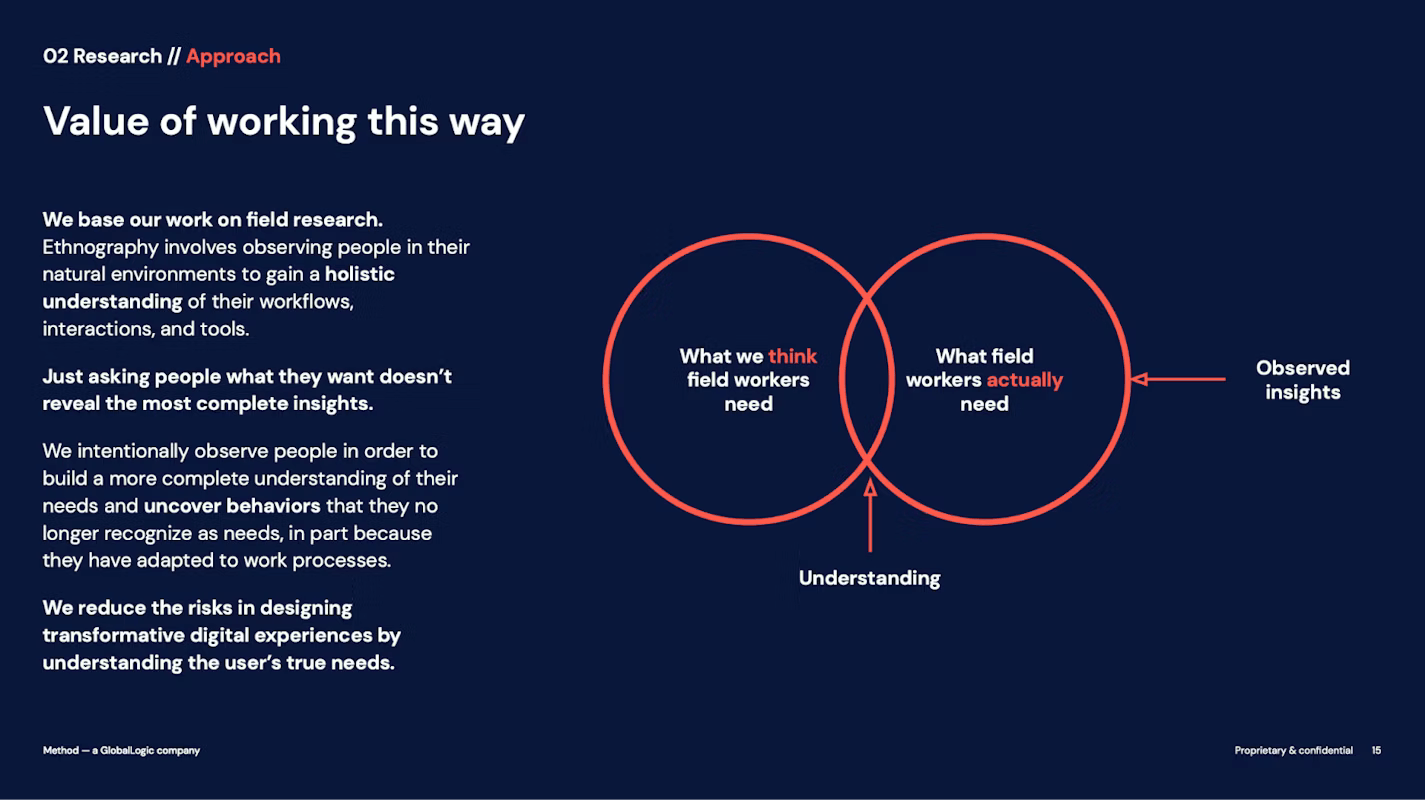
Tip: Never start from what AI can do, but what humans actually need. Our field research with Hitachi engineers revealed the true gaps between assumed and actual needs—where AI could create genuine value.
We were able to use this primary research to better assess what we thought engineers need vs what engineers actually needed.
Principle 2: AI is only valuable when embedded in interconnected workflows and systems
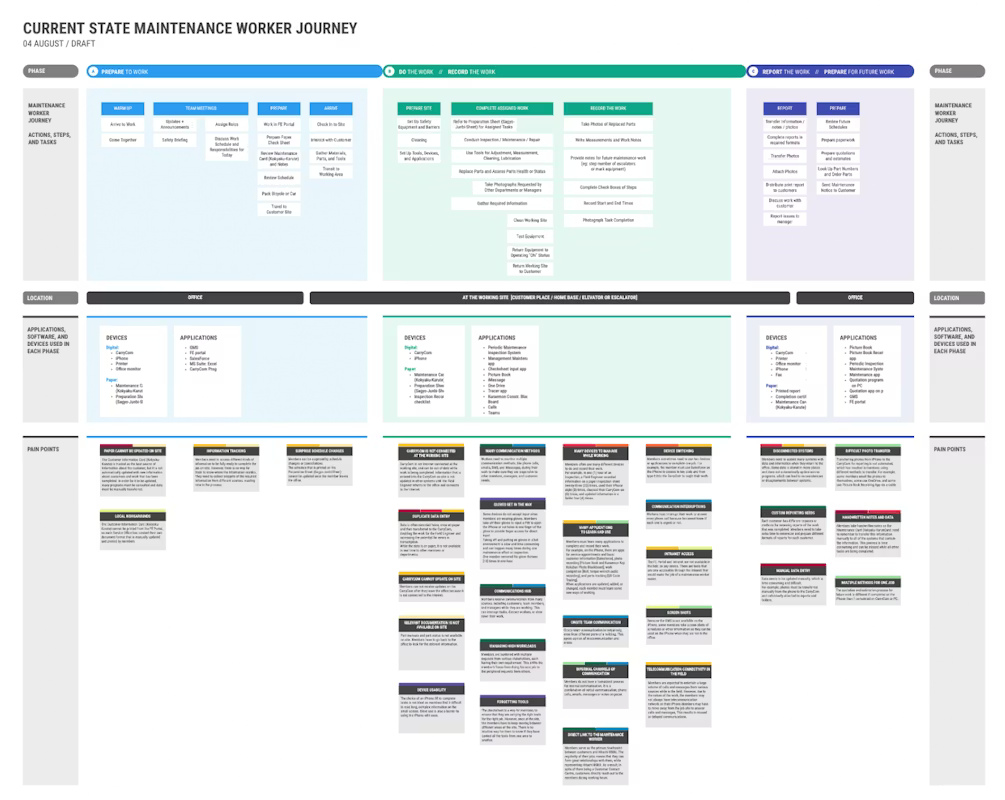
How to: map current state systems, workflows, environments and pain points with the intention of identifying workflow pain points that could be made more efficient or deliver a higher quality outcome with the use of AI.
Tip: Look for leverage points where AI augments workflows, but filter out use cases that are ineffective, unsafe or noncompliant.
For BSBU mapping the human workflows and connected systems were able to understand the key areas in their daily workflows that could benefit from AI automation, such as; daily scheduling and direction alignment, accessing correct data or schematics quickly and report generation.
We also identified areas of workflow that would be best left to human expertise and control, such as; remote communication and direction between senior engineers and engineers while work was underway and submitting reports of work completed without engineer review and approval.
Principle 3: Human <> AI interactions require reusable and scalable design language
How to: Design and maintain a reusable pattern library for AI interactions—covering feedback loops, explainability, transparency, and human override.
Tip: Treat design pattern not as an ad-hoc feature, but a reusable interaction library.
A connected, cross-industry library enables teams to apply AI design principles efficiently while addressing safety, ethics, data quality, and control versus automation from the start.
Principle 4: When defining the future state – it’s not about the AI, it’s about the workflow.
How to: Redesign end-to-end workflows before introducing AI. Center on user goals, decision points, and friction areas where AI can enhance, not replace human judgment. Co-create future-state journeys with cross-functional teams to align technology with real business outcomes.
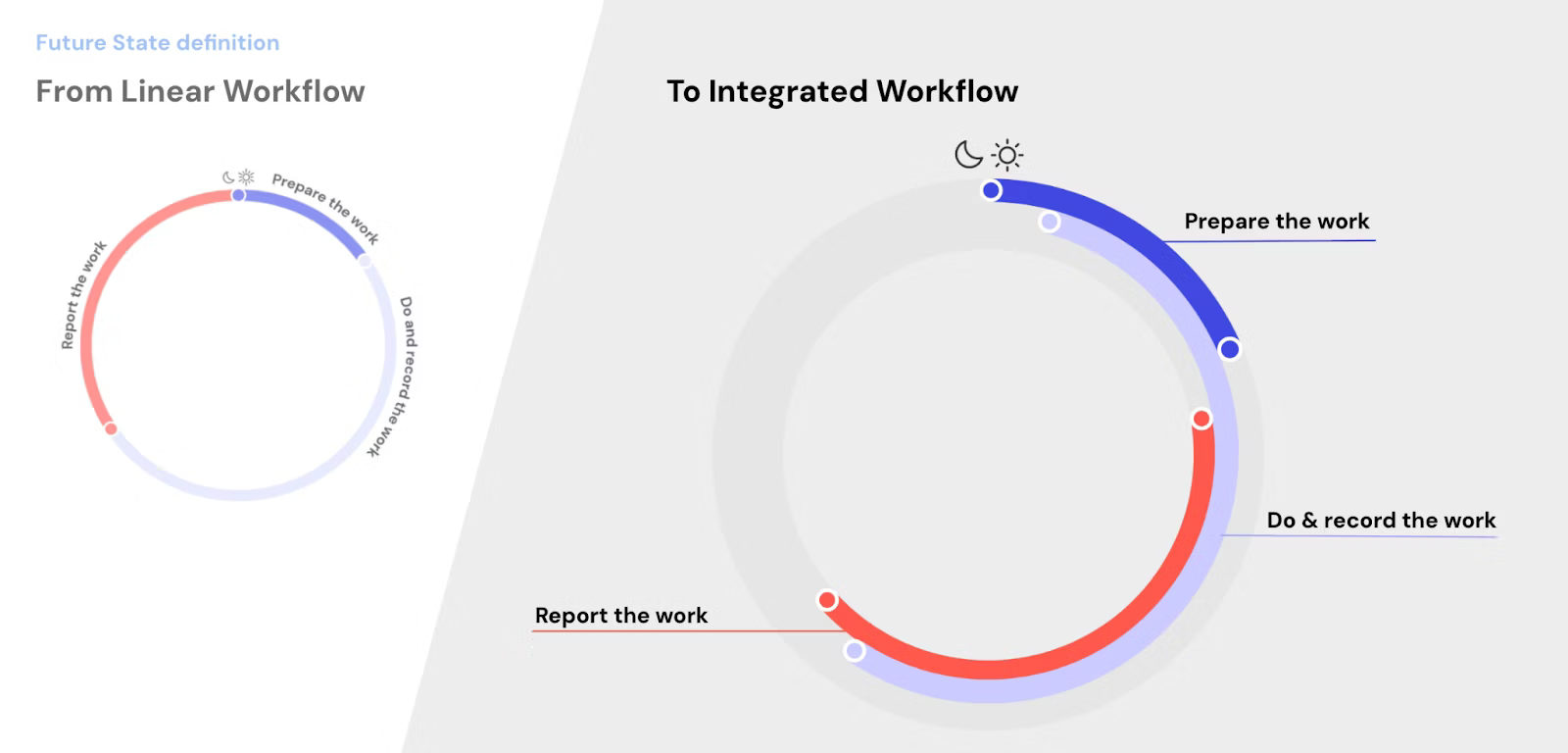
Tip: Start with the workflow, not the model. AI should fit how people work, not force them to adapt.
Focusing on features over workflows leads to poor adoption and limited value. True impact comes when AI strengthens existing processes and human decision-making.
Using storyboarding helps align the envisioned human experience and workflows with changes in data infrastructure, technology, and environment—clarifying how each contributes to user value and business outcomes.
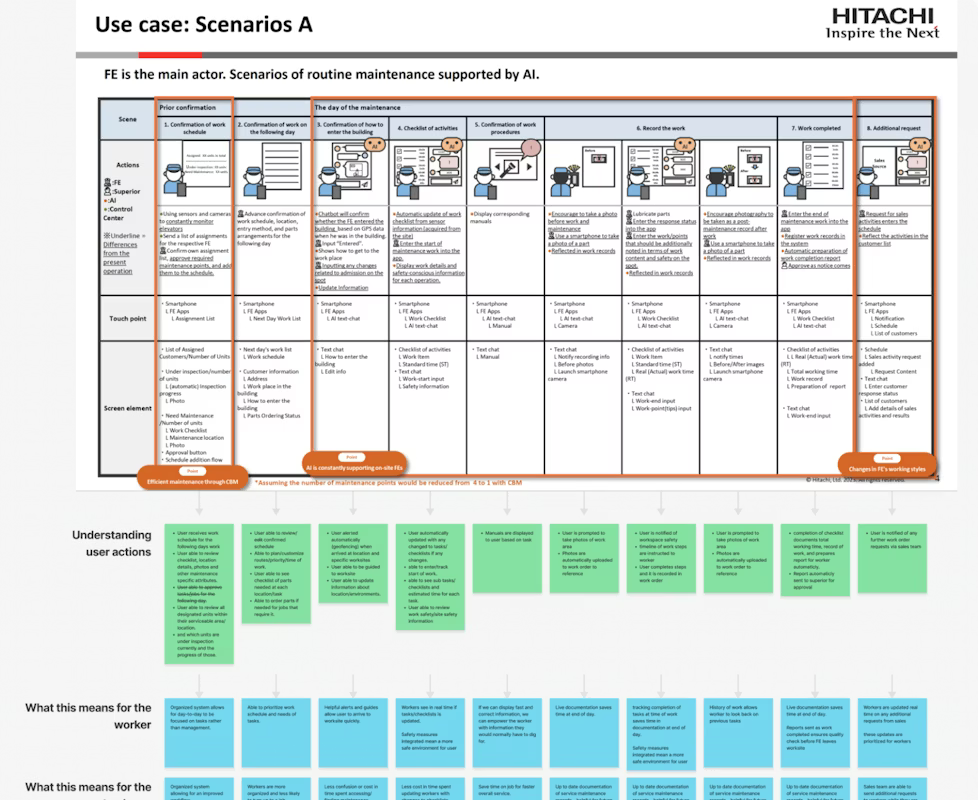
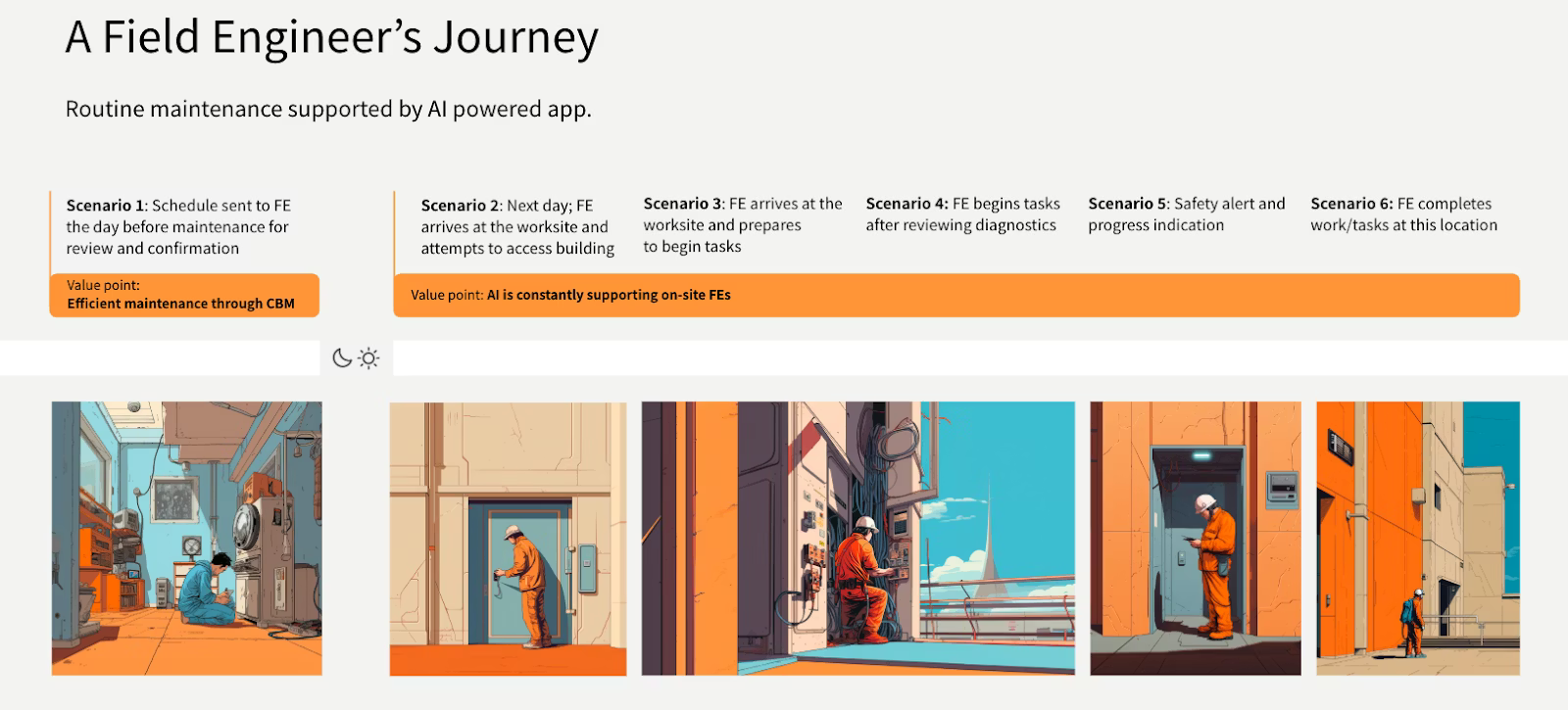
Principle 5: Prototype & validate human and AI interactions
How to: Prototyping and validation of future state experience is critical to do before investing more time and money into AI product experiences. Prototyping an AI experience is fundamentally different from prototyping a standard user interface.
Tips: You aren’t just testing button placements and screen flows; you’re testing the user’s relationship with a system that thinks, predicts, and can be wrong.
HE BSBU case study
This case study explored how AI can create value for field engineers by embedding intelligence into workflows rather than focusing on standalone features. Four categories of value emerged:
(1) improving efficiency, where AI reduced manual planning and information overload by centralizing data and anticipating needs;
(2) enabling human–AI partnership, where AI augmented rather than replaced human expertise, requiring trust, transparency, and multimodal interactions;
(3) automating routine tasks, where AI streamlined access to sensors, monitoring systems, and reporting, while balancing efficiency with user control;
(4) enhancing safety in hazardous environments, where AI-supported health and safety sensors provided proactive protection but raised concerns about workflow disruption.
Our research has shown that across these categories, engineers consistently valued AI when it reduced friction, enhanced decision-making, and respected their autonomy, but resisted designs that introduced dependency, loss of control, or unnecessary complexity. The findings highlight that successful AI adoption depends not only on technical capability but on designing interactions that align with human needs, trust, and real-world working conditions.
Value creation example 1 – Improving efficiency of task completion
Our first opportunity area focused on improving efficiency .By embedding intelligence into routine planning and task management, AI could help engineers start each day with greater clarity, efficiency and less cognitive load.
Use case 1: Smarter task scheduling for a smoother start
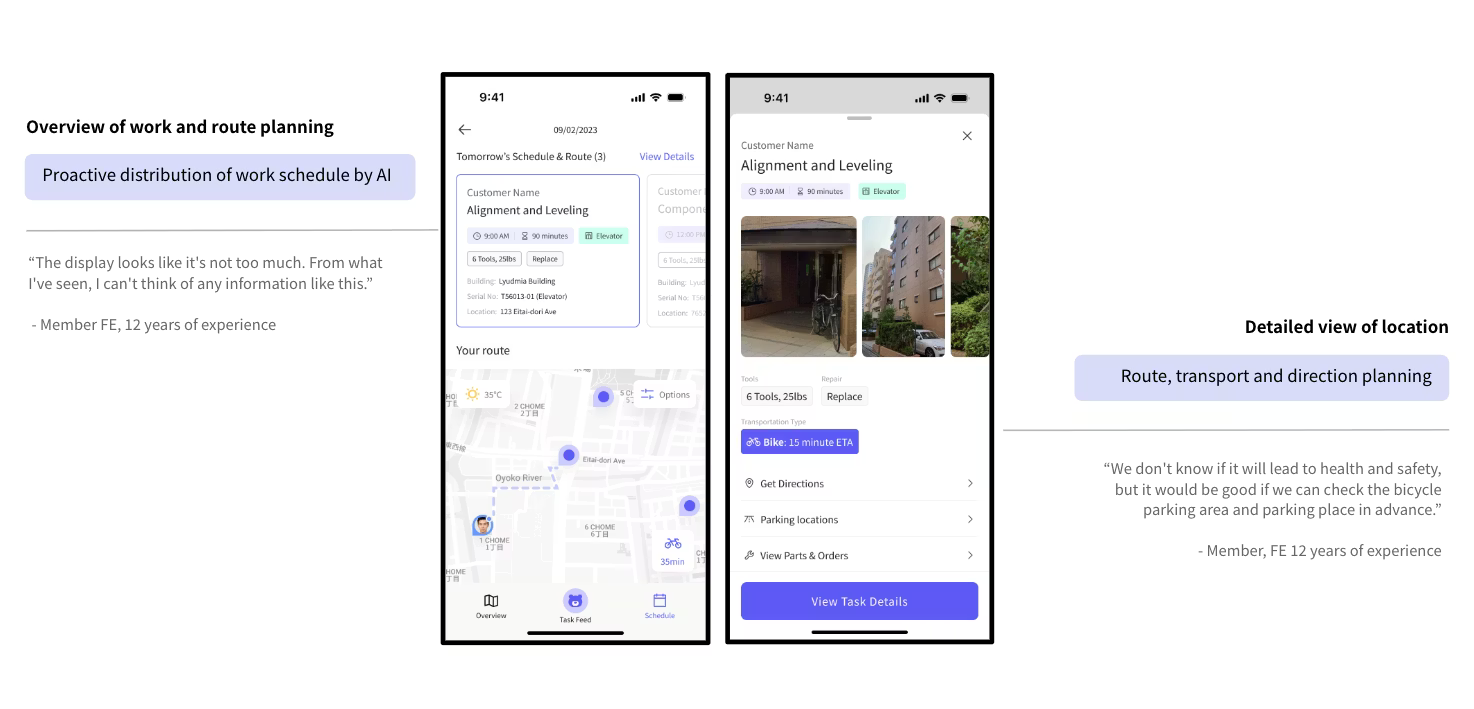
Hitachi engineers spent significant time each morning determining maintenance tasks and route planning. By centralizing data from work logs, sensors, and requests, Kumata AI automatically scheduled and distributed work the day before, allowing engineers to prepare in advance.
Engineer response
Engineers felt scheduling is working today but it could be more efficient. They liked the ability to be able to plan a day ahead and see the detailed work details for each location and task. Additionally if schedules or task information change the day of this provided a smart automated communication method.
Use case 2: Diagnostic summary of large and complex databases to inform task completion
Hitachi engineers must access vast documentation across systems—covering each building’s elevators, escalators or air conditioning technology all with their own service history, model, age and environments. This results in an unthinkable amount of data, schematics and information to access. AI can simplify this by automatically retrieving and summarizing the most relevant data, instructions, and schematics when needed.
Engineer response
Engineers welcomed the convenience and efficiency of centralized information but voiced concern about over-reliance on digital interfaces during fieldwork.
“I want to spend as little time as possible touching my phone from entry to exit. I think I’m going to become dependent on my phone…” – Hitachi Engineer , 9 yrs
Takeaway: When designing for improving efficiency in task completion, the goal is to reduce friction and cognitive load, allowing users to complete their tasks faster, with fewer errors, and with less manual effort. The AI should act as an intelligent assistant that automates tedious work, augments the user’s abilities, and anticipates their needs.
Value creation example 2 – Human & AI partnership
Designing for a ‘Human & AI partnership’ is one of the most sophisticated and powerful use cases for AI. Unlike full automation, the goal here isn’t to replace the human, but to augment their intelligence and capabilities.
Use case 1: Building/earning trust
Hitachi Engineers are highly skilled and experienced people who do not want to be handheld or told how to do their jobs, they are also aware of the reality that AI is not always going to be correct and want to ensure any automations are for low risk tasks and humans are always in charge of important tasks and decisions.
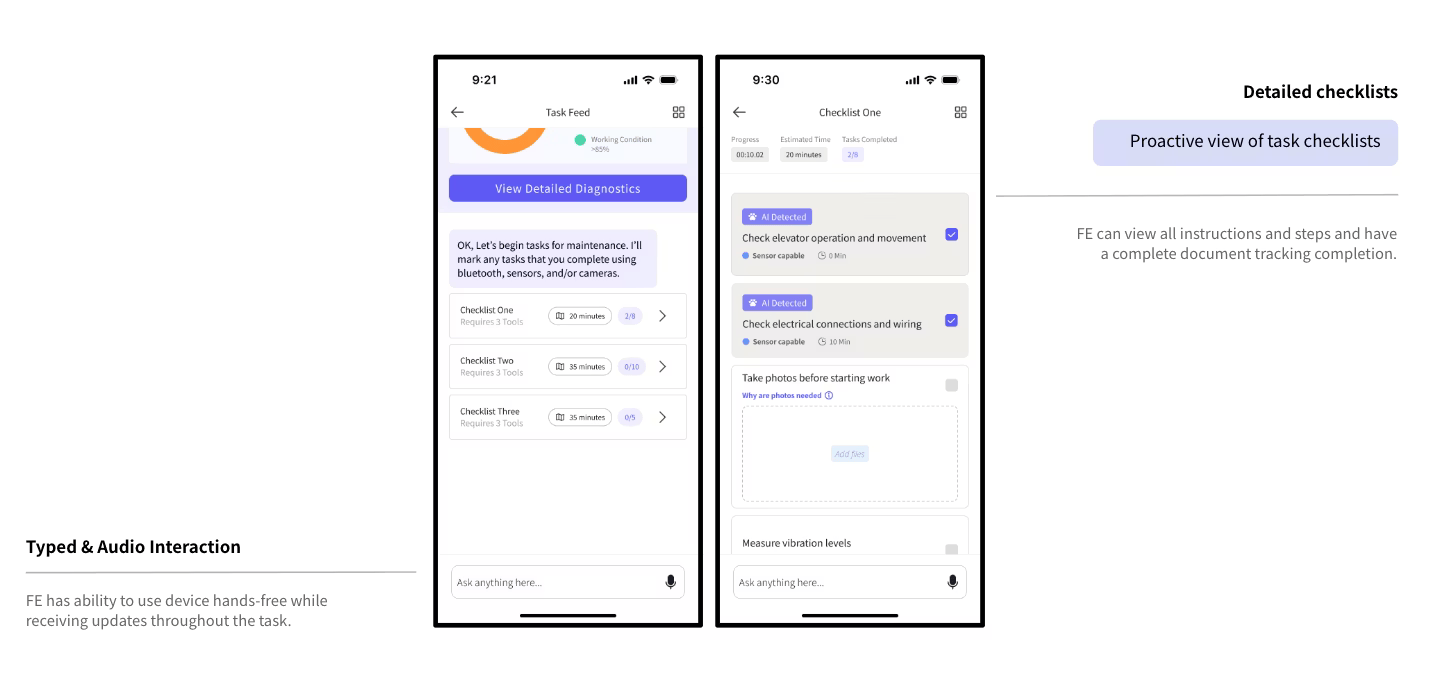
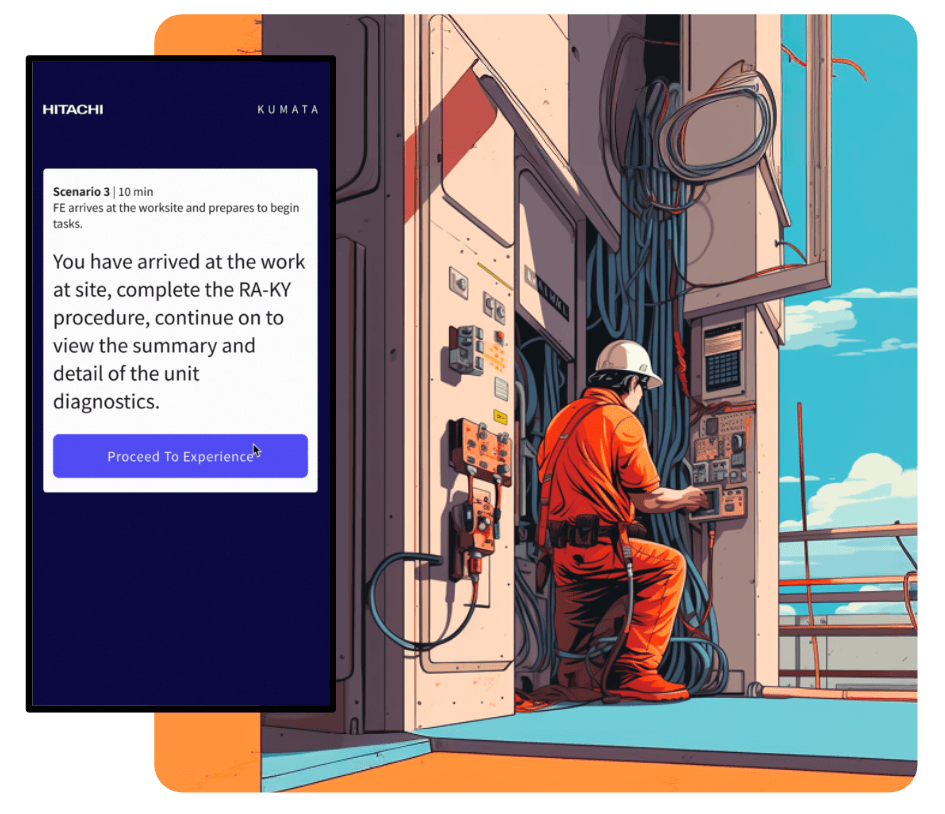
In an effort to build trust and understanding of AIs role in workflow support for Hitachi Engineers we worked to personify the AI entity (Kumata AI), visually articulating how it shows up and establishing trust though delivering transparency and value to engineers clearly in every interaction.
Engineer response
Engineers responded positively to the personification of Kumata AI and the transparency of what it was doing and when. There were several interactions we presented that concerned Engineers in loss of control or interruption of tasks.

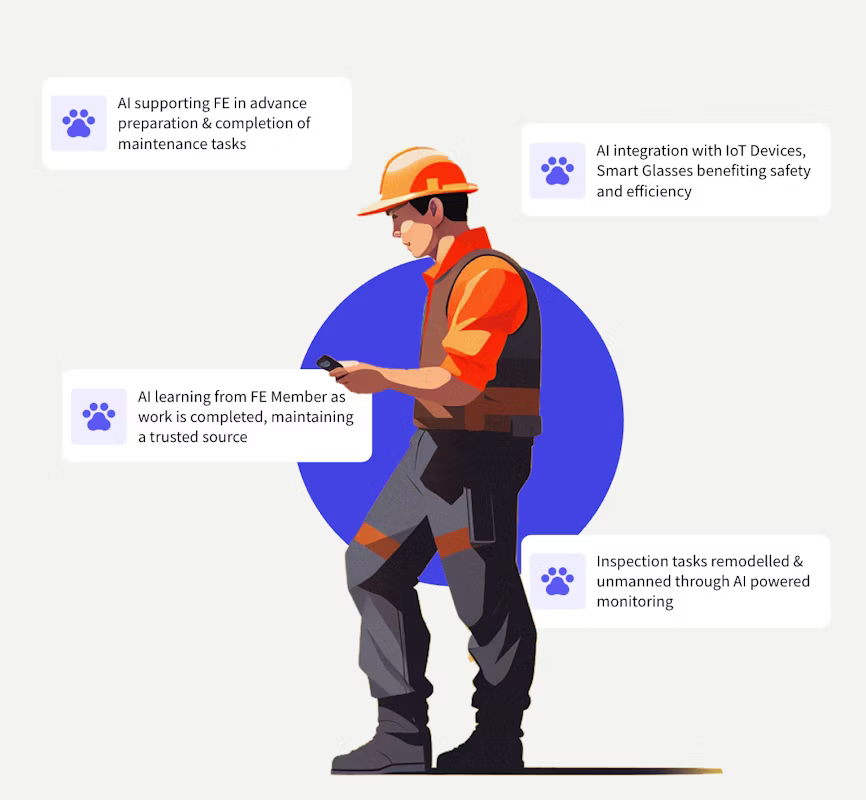
Note the Photo of the engineer above is stock photography – field engineers perform aerial lift operations only after implementing safety measures such as wearing full-body harnesses.
Use case 2: Multimodal interactions and feedback loops
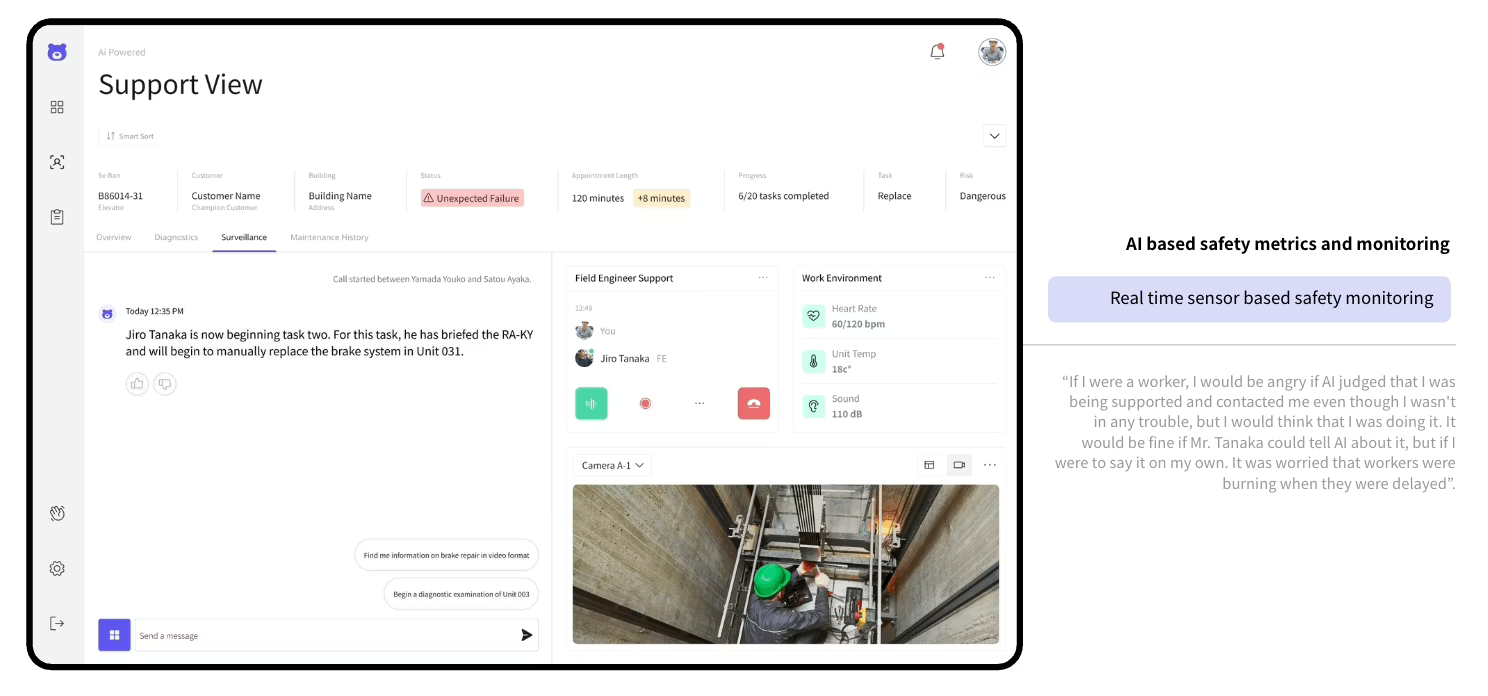
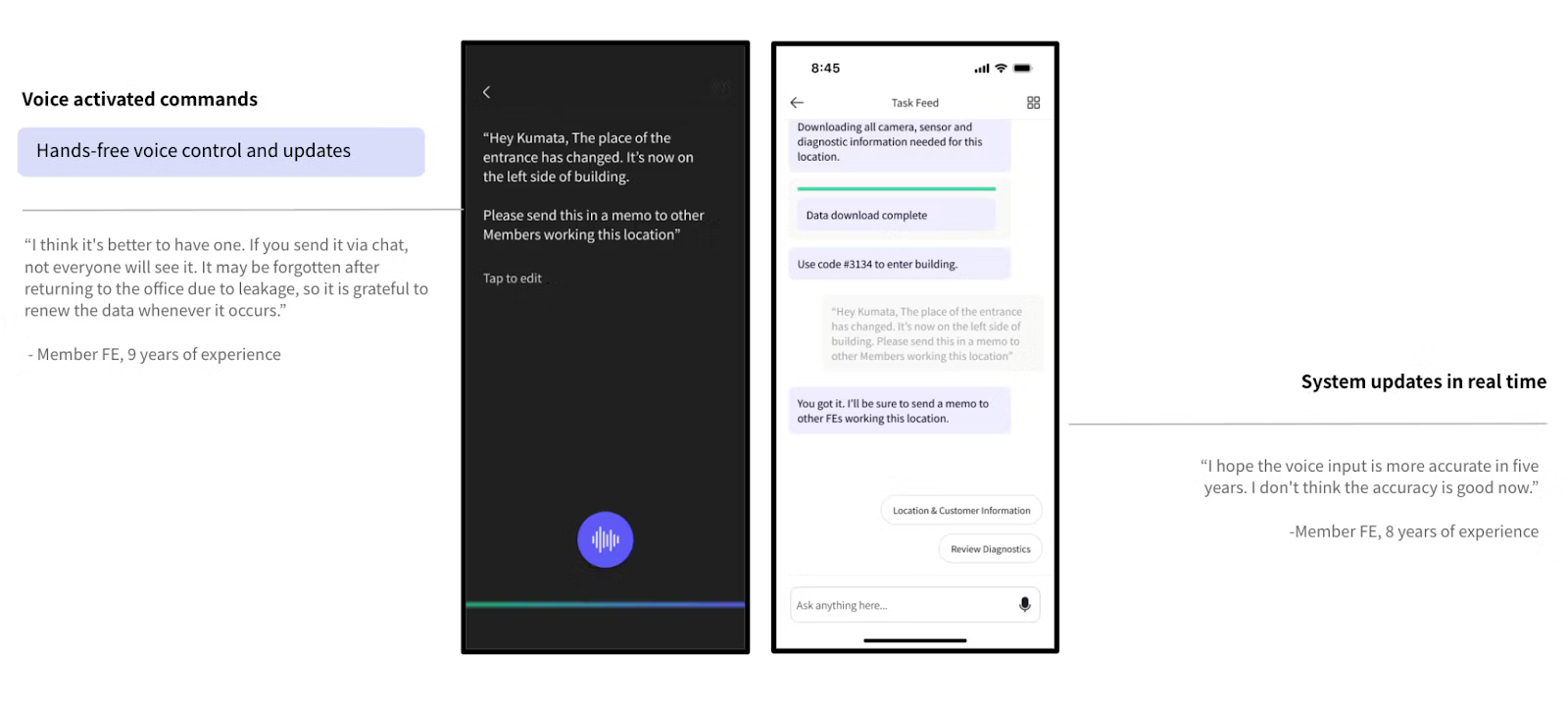
Engineers needed to engage with Kumata AI through more than just screens—especially in remote or hands-on environments. Engineers in remote monitoring situations needed to see what each other were seeing as well as use voice instruction to interact with the UI in situations where it was not always safe to be holding a digital device. Accounting for smart glasses, HUD displays and voice control interactions enabled engineers to better communicate with one another and Kumata AI supported them as needed.
Engineer response
Engineers generally agreed with a multi modal approach and AI supporting them in certain tasks, however they were sceptical in voice recognition capability in quality of transcription and expressed discomfort with the idea of AI monitoring or “judging” their work.
Takeaway:
The core idea is to create a relationship where the human and AI work together, achieving something neither could do as well alone.
Value creation example 3 – Automation of tasks
When it comes to AI Automation the central design challenge is to strike the right balance between seamless, background efficiency and the user’s need for control, transparency, and trust. When done well, it feels seamless; when done poorly, it frustrates.
Use case 1 : Connecting to sensors and monitoring devices
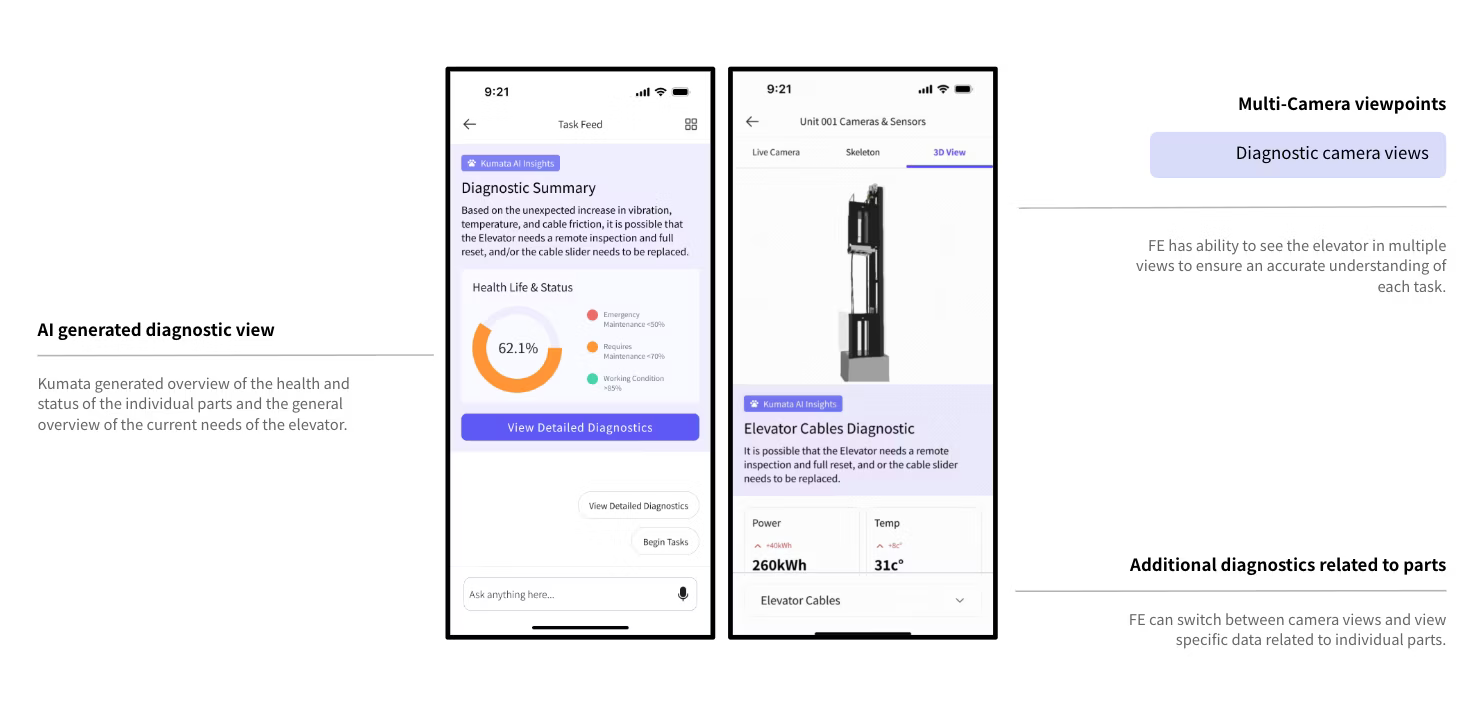
Hitachi engineers often struggled to access service units, sensor data, and schematics. Locating and connecting to these sources is often challenging. AI can support engineers by automating access to these connections, giving engineers real-time information without entering hazardous spaces.
Engineer response
They valued the safety and efficiency gains. This yielded significant safety and efficiency benefits, such as eliminating the need to physically enter hazardous spaces like elevator shafts to inspect service units, while also providing on-demand access to schematics and data feeds. However, there was concern that more field sensors could also mean more maintenance and upkeep.
Use case 2: Automating daily tasks like report generation
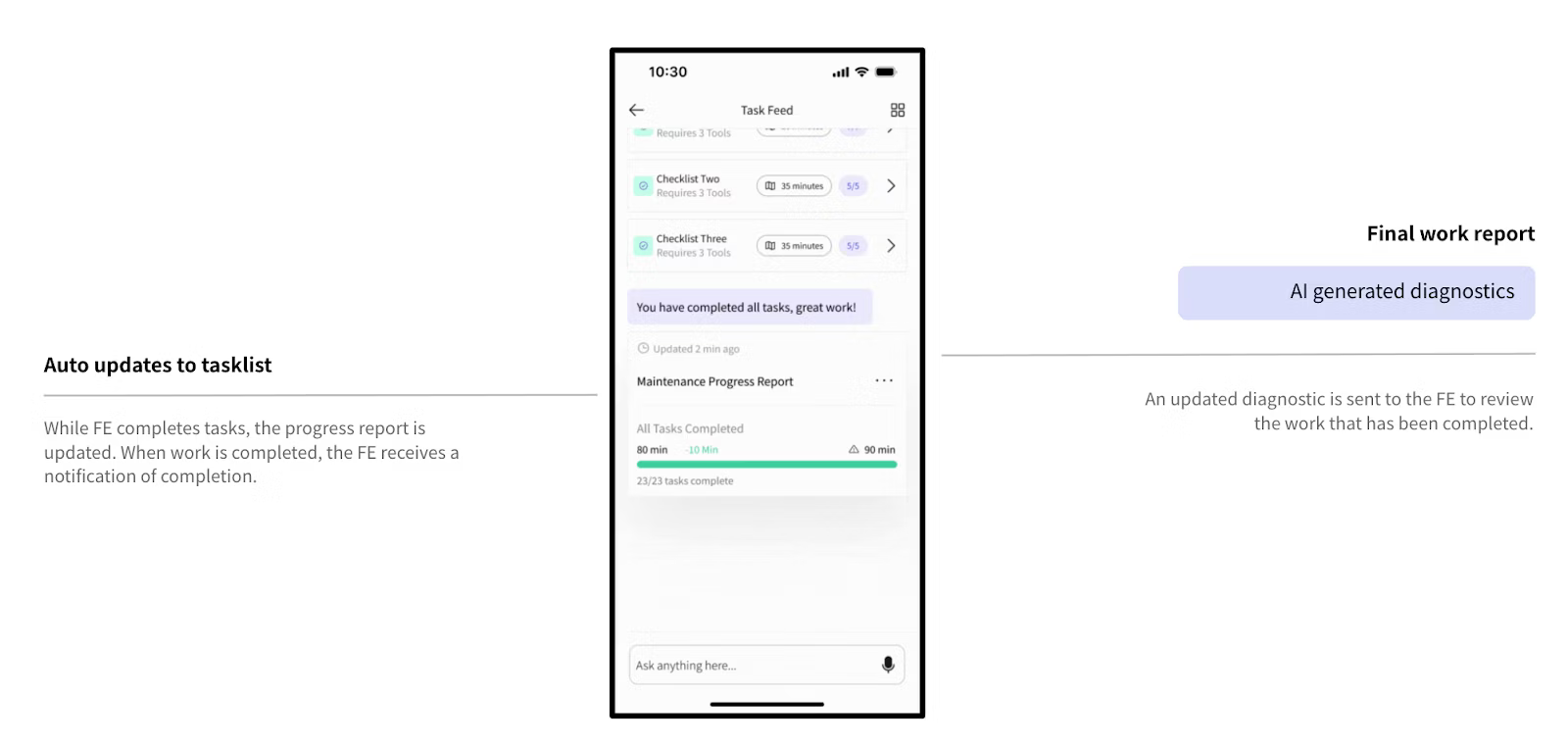
Engineers experience a certain amount of required manual ‘paperwork’ to be completed as part of each day. The time spent completing that documentation and ‘paperwork’ was a clear opportunity for Kumata AI to automate creation of daily maintenance task reporting and documentation.
Engineer response
Generation of work reports seemed to be accepted provided it was an accurate assessment of the work and process actually completed and Engineers have the ability to edit the output and confirm before submission.
Takeaway: Automation delivers value when it removes repetitive work while keeping humans confidently in control.
Value Creation 4 – AI in Dangerous Environments
The final area of value focused on automating safety and creating life-changing value for engineers.
Use case: Health and safety sensors for engineers
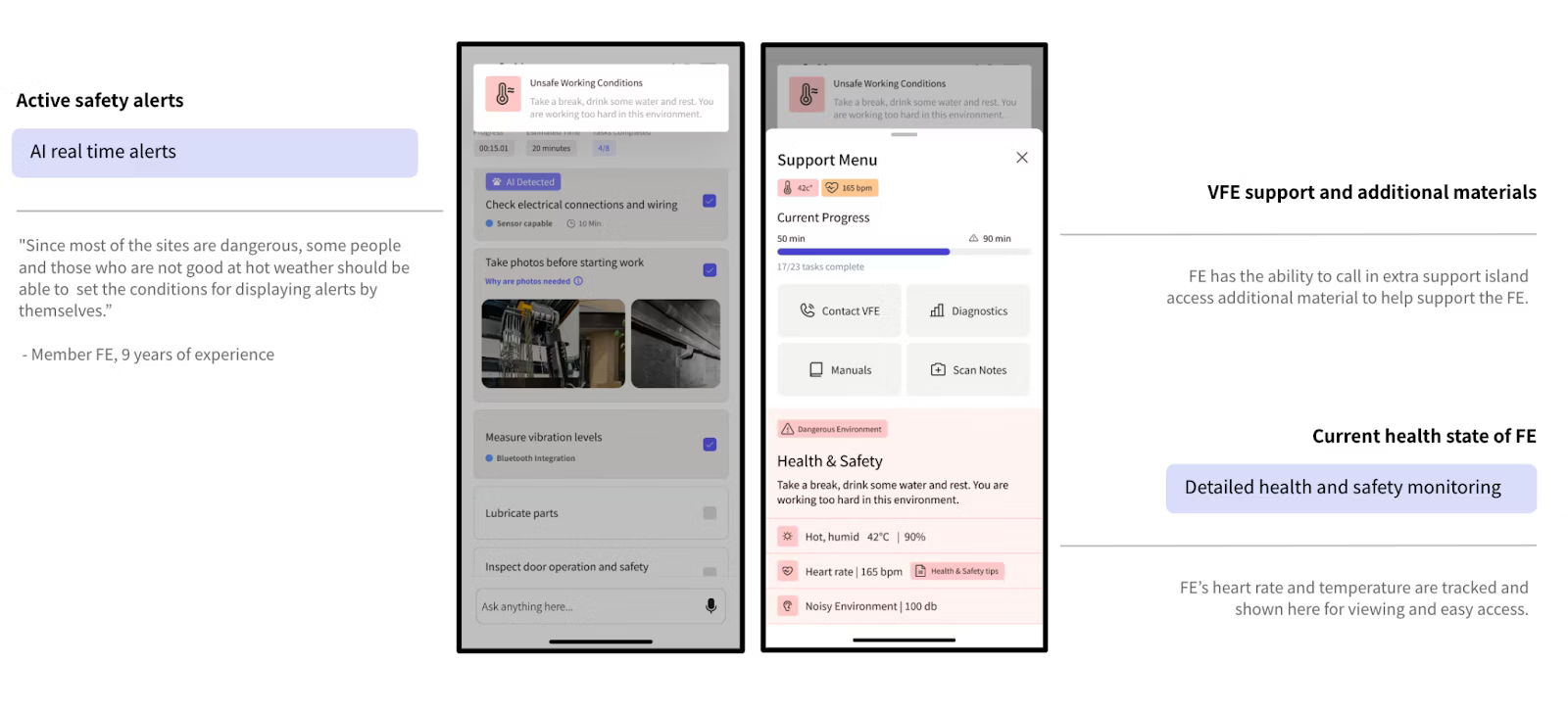
Hitachi BSBU engineers work daily in hazardous environments, often facing safety incidents. By combining AI with smart wearables and environmental sensors, proactive alerts can help prevent accidents and support on-site safety.
Engineer response
Engineers welcomed the concept but wanted control over settings—preferring to set their own safety thresholds for factors like temperature or protective gear. Many cautioned that frequent alerts in high-risk areas could disrupt workflow.
“I’m worried that an alert will interrupt my work. In most sites, alerts about heat stroke are expected to occur frequently…” – Hitachi Engineer, 8 yrs
Takeaway: Safety systems earn trust when they empower workers. AI should alert intelligently and adapt to context.
Navigating Designing for AI with Confidence
These cases highlight that successful AI design depends as much on strategy and empathy as on technology. To move beyond pilots and hype, business and product leaders should:
- Understand and build empathy: Be sure to include developing clarity and alignment in understanding the humans and their work before seeing to disrupt them.
- Identify High-Impact Areas: Focus on problems where AI can offer a distinct advantage and value then consider a range of AI design interaction patterns that match the need.
- Rapid Prototyping and Validation: Once a vision is established and AI interactions have been matched with areas of opportunity prototype and test. Designing for AI requires understanding, trust and acceptance of AI and human partnership.
- Start Small, Scale Smart: Begin with pilot projects that demonstrate tangible value before committing to large-scale deployments.
- Data is King: Ensure you have access to clean, relevant, and sufficient data to train and validate AI models.
- Invest in Talent and Training: Develop in-house AI capabilities or partner with experts who can guide your journey.
- Ethical Considerations: Prioritize fairness, transparency, and accountability in AI system design and deployment.
By combining human-centered research, systems design, and responsible innovation, organizations can design AI with clarity, humanity, and confidence—creating technology that truly serves people, not the other way around.